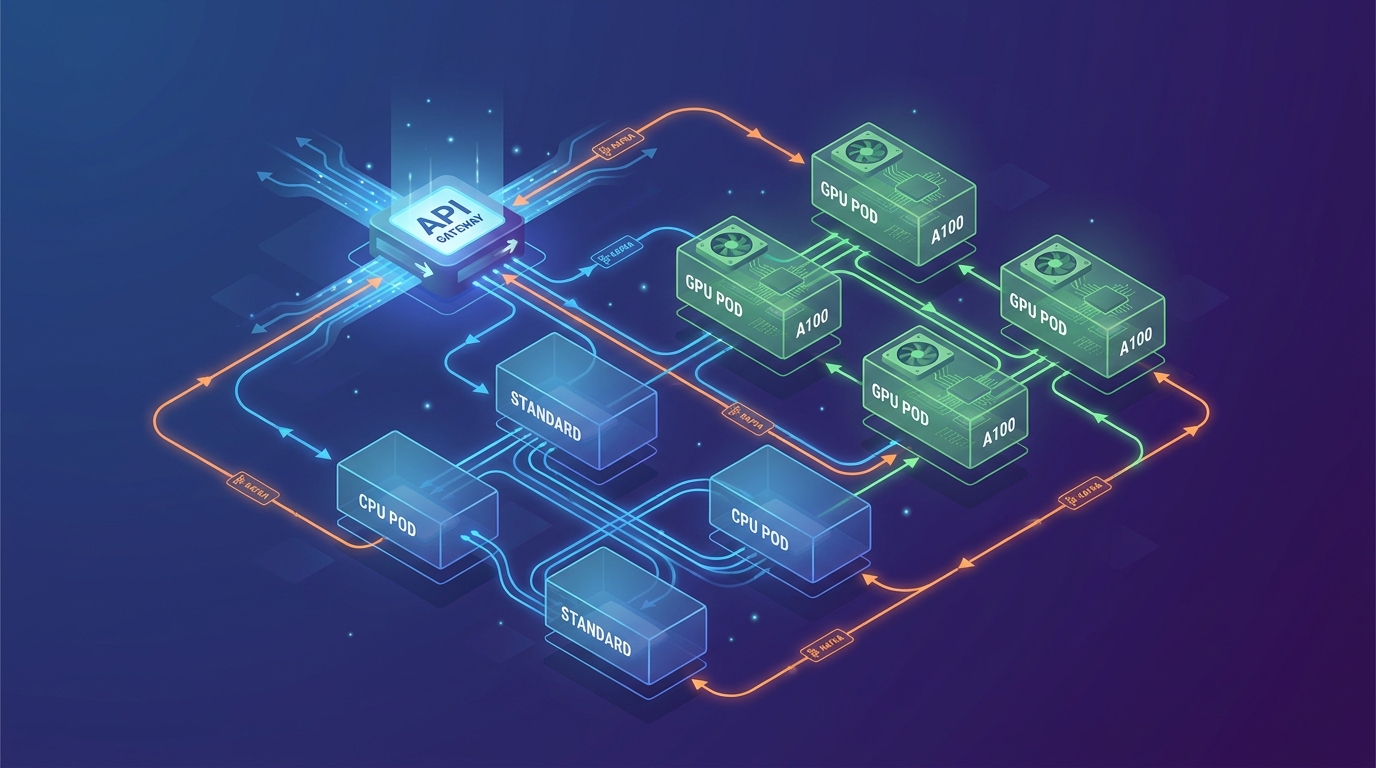
The Challenge with AI Workloads
If you’ve spent any time building standard web applications, you know the drill: a request comes in, a lightweight controller fetches data from Postgres, and a JSON payload is returned 50 milliseconds later. But when you start integrating Large Language Models (LLMs), computer vision models, or deep learning inference into your stack, that traditional architecture collapses. Exploring advanced microservices patterns for ai backend infrastructure isn’t just an optimization—it’s a strict requirement for survival.
In my experience building automated infrastructure at ajmani.dev, AI workloads introduce three distinct challenges that break standard microservices:
- Asynchronous Timings: While a database query takes milliseconds, an AI model might take 5, 10, or 60 seconds to process a request. Standard HTTP connections time out.
- Payload Gravity: Audio files, high-res images, and massive document vectors create immense network bottlenecks if passed directly between services.
- Resource Asymmetry: Your API gateway runs fine on a cheap 1-core CPU, but your inference worker needs a $4/hour NVIDIA A100 GPU. They cannot live in the same container.
To solve this, we need to completely rethink how our backend services communicate. Let’s dive into the solution.
Solution Overview: Advanced Microservices Patterns for AI Backend Architectures
The core philosophy of designing an AI-native backend is decoupling. We must aggressively separate our fast, IO-bound operations (handling user requests, validating auth) from our slow, compute-bound operations (running tensor math on GPUs).
By moving away from synchronous REST APIs and adopting event-driven, queue-based, and sidecar patterns, we can build a system that scales GPUs independently, survives traffic spikes without dropping requests, and provides immediate feedback to the client.
Technique 1: The AI Sidecar Pattern
In traditional microservices, the sidecar pattern is often used for logging or proxying (like Envoy). When exploring advanced microservices patterns for AI backend systems, we use the sidecar to separate the business logic from the inference logic.
Instead of cramming the heavy Python ML libraries (PyTorch, TensorFlow) and your API logic (FastAPI, Go) into one massive Docker image, you deploy them as separate containers within the same pod. Your lightweight Go API handles auth, database updates, and formatting, while communicating over `localhost` via gRPC to the Python sidecar that strictly executes the model.
Here’s a conceptual Kubernetes deployment showing this pattern:
apiVersion: apps/v1
kind: Deployment
metadata:
  name: user-sentiment-service
spec:
  replicas: 3
  template:
    spec:
      containers:
      # The Business Logic Container (Go)
      - name: api-server
        image: ajmani-api:v1.2
        ports:
        - containerPort: 8080
        env:
        - name: INFERENCE_URL
          value: "localhost:50051"

      # The AI Model Sidecar (Python/gRPC)
      - name: model-inference-sidecar
        image: sentiment-model:v4.0
        ports:
        - containerPort: 50051
        resources:
          limits:
            nvidia.com/gpu: 1
This allows your data science team to update the model sidecar independently of the backend engineering team updating the API.
Technique 2: The Event-Driven Prediction Pipeline
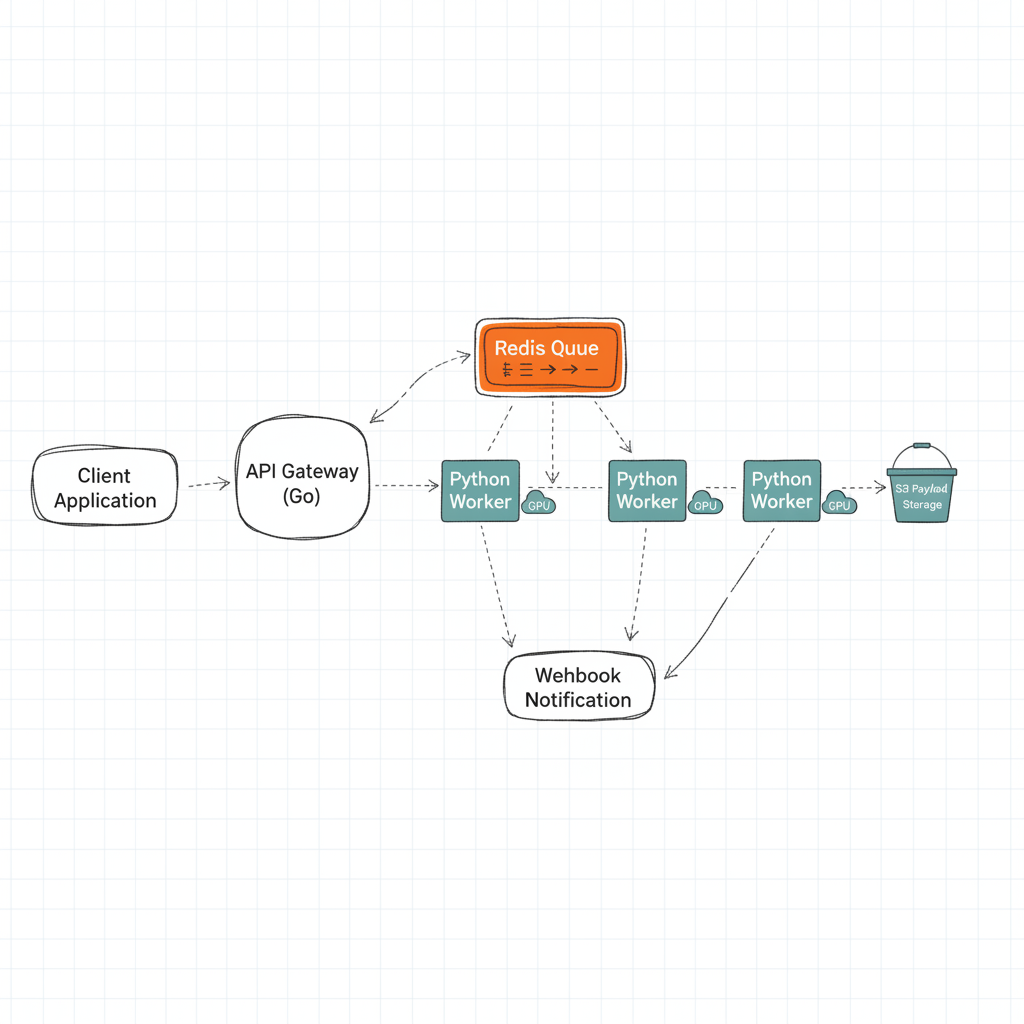
Never make a user wait on an open HTTP connection for an AI model to finish. Instead, the moment a request hits your server, you should immediately return an HTTP 202 (Accepted) with a `job_id`, and push the actual work to a message broker.
This is the cornerstone of event-driven architecture design for AI. Using tools like Apache Kafka, RabbitMQ, or even Redis Pub/Sub, you create a buffer between your impatient users and your slow GPUs.
Once the GPU worker picks up the job from the queue and finishes processing, it can alert the client via a Webhook, Server-Sent Events (SSE), or WebSockets. This pattern prevents your API from crashing due to thread exhaustion when 1,000 users ask for an AI generation at the same time.
Technique 3: Claim-Check Pattern for Heavy Payloads
When dealing with Generative AI (like video generation or high-res image manipulation), passing the actual file through your microservices network will choke your message broker. Kafka is meant for small events, not 50MB video files.
Enter the Claim-Check Pattern. Instead of sending the file, the API gateway uploads the raw file to an S3 bucket, gets a presigned URL (the “claim check”), and sends only the URL through the message queue. The GPU worker downloads the file directly from S3, processes it, uploads the result to S3, and sends a new URL back.
Technique 4: GPU-Aware Request Routing
One of the most critical advanced microservices patterns for AI backend infrastructure is GPU-aware routing. Not all AI requests are created equal. A simple text classification might run fine on a cheap CPU, while a massive Llama-3 inference requires an expensive A100 GPU.
Your API gateway needs to inspect the payload and route it dynamically. In Kubernetes, we achieve this using Node Affinity to ensure our heavy workers only run on expensive instances when needed.
# Kubernetes Node Affinity for GPU Workers
      affinity:
        nodeAffinity:
          requiredDuringSchedulingIgnoredDuringExecution:
            nodeSelectorTerms:
            - matchExpressions:
              - key: cloud.google.com/gke-accelerator
                operator: In
                values:
                - nvidia-tesla-a100
Implementation: Orchestrating an AI Microservice
Let’s look at how I implemented this in a recent project. The goal was to build a system where users upload a document, and an LLM extracts key data points.
First, the user hits the Go API. The Go API writes the document to S3, generates an event, and pushes it to Redis. It immediately responds with `{“job_id”: “12345”, “status”: “processing”}`.
On the backend, a Python Celery worker is listening to the Redis queue. It picks up the task, downloads the document, runs the PyTorch model, saves the extracted data to Postgres, and fires an event to a WebSocket service to update the user’s UI in real-time.
If you want a deeper look at the operational side of this, I highly recommend checking out my guide on MLOps architecture patterns.
Real-World Pitfalls (And How to Avoid Them)
Even with advanced patterns, things will break. Here are the three biggest pitfalls I’ve encountered:
1. The Thundering Herd Problem
If your AI workers crash and restart, they might all try to pull from the message queue at the exact same time, immediately crashing your database with concurrent writes. Implement exponential backoff and jitter in your worker connection logic. Relying on asynchronous message queues with proper prefetch limits is essential here.
2. Silent Model Failures
Sometimes the AI worker doesn’t crash, but it starts outputting garbage data (hallucinations) due to a corrupted state or memory leak. Standard uptime monitoring won’t catch this. You need deep backend observability for automated systems that monitors the quality of the output, tracking token generation speed and inference confidence scores.
3. GPU Memory Leaks
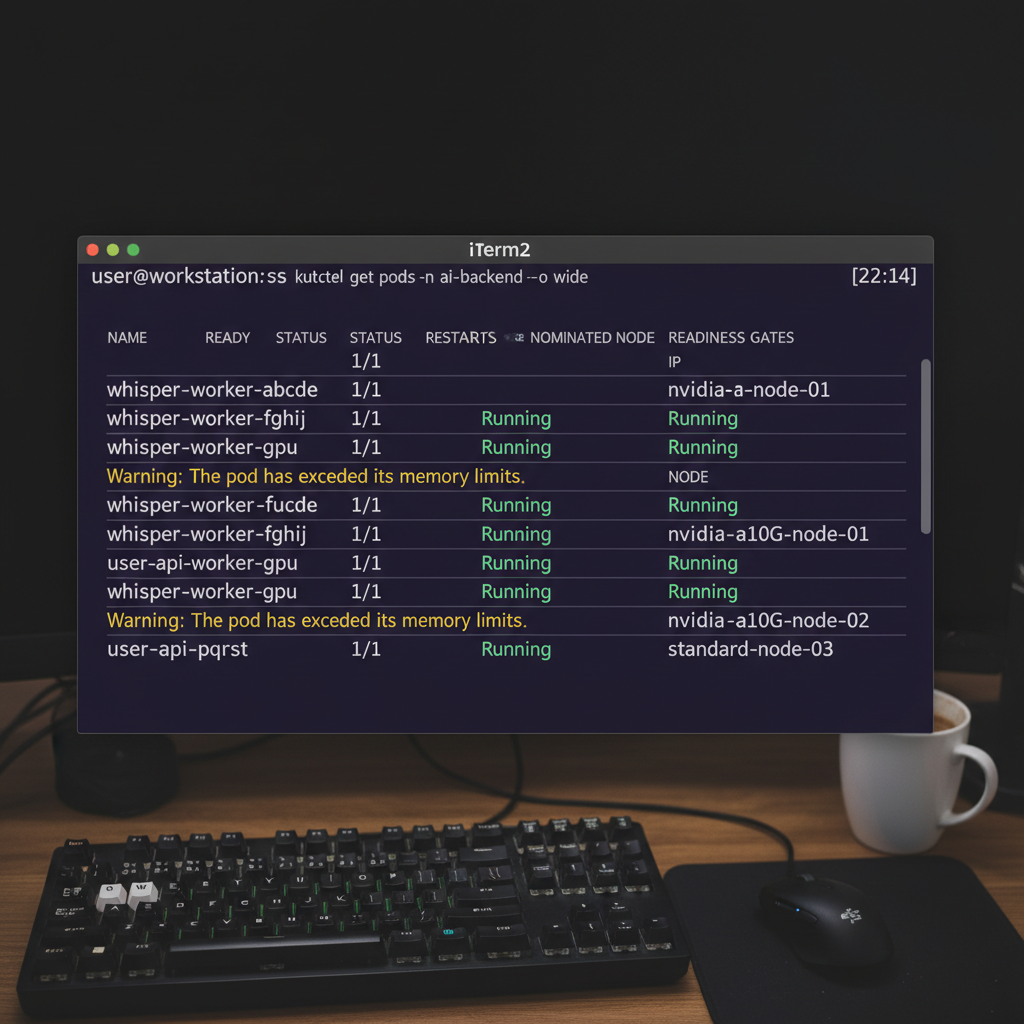
Python workers running ML models are notorious for not releasing VRAM back to the GPU after inference. In a microservices environment, this leads to Out Of Memory (OOM) kills. The simplest fix? Configure your orchestration layer to recycle worker pods automatically after they process a set number of requests.
Final Thoughts
Transitioning to these advanced microservices patterns for AI backend systems requires an upfront investment in infrastructure complexity. You are trading the simplicity of synchronous REST for the resilience and scalability of event-driven architectures. But as your AI features scale and managing model deployments becomes a daily task, this separation of concerns is exactly what will keep your systems online.
Frequently Asked Questions
How are AI microservices different from traditional microservices?
Traditional microservices are typically stateless, fast, and I/O-bound (like querying a database). AI microservices are highly compute-bound, require specialized hardware (GPUs), and take significantly longer to process (seconds or minutes rather than milliseconds), requiring entirely different scaling and communication strategies.
Why shouldn’t I use synchronous REST for AI inferences?
Synchronous REST connections tie up server threads. If an AI model takes 30 seconds to generate an image, the HTTP connection must remain open. If 100 users make a request simultaneously, you will exhaust your API gateway’s thread pool and cause a total system crash.
What is the Claim-Check pattern in AI architecture?
The Claim-Check pattern solves the problem of sending large payloads (like video files) through message queues. Instead of sending the file, you upload it to an object store (like S3), and only send the pre-signed URL (the ‘claim check’) through the message queue to the AI worker.
How does the ML sidecar pattern work?
The ML sidecar pattern separates API logic from model execution. In a single Kubernetes Pod, you run a lightweight API container (e.g., in Go or Node) alongside a heavy machine learning container (e.g., Python/PyTorch). The API handles auth and formatting, then calls the ML container via gRPC over localhost.
Which message broker is best for AI backend systems?
It depends on your scale. Redis is excellent for simple, low-latency queues (using Celery or BullMQ). For high-throughput, fault-tolerant enterprise pipelines, Apache Kafka is the industry standard due to its replayability and partition scaling.
How do I prevent Python GPU workers from running out of memory?
Memory leaks are common in ML frameworks like PyTorch and TensorFlow because they hold onto GPU VRAM for caching. The most reliable fix in a microservices environment is to configure your workers to automatically terminate and restart gracefully after processing a specific number of requests (e.g., max_tasks_per_child in Celery).
Can I use Serverless functions (like AWS Lambda) for AI backends?
For very small models or external API calls (like OpenAI), yes. However, for running your own heavy models, standard Serverless functions lack GPU support and hit timeout limits quickly. You’ll need specialized serverless GPU providers (like RunPod or Modal) or a dedicated Kubernetes cluster.
Official resources for Advanced Microservices Patterns for AI Backend
Documentation and references for Advanced Microservices Patterns for AI Backend:
