If you’ve ever tried to build a chatbot for your company’s internal documentation, you know the pain of LLM hallucinations. You ask a specific question about a niche API endpoint, and the model confidently makes up a parameter that doesn’t exist. This is where RAG comes in.
In this retrieval augmented generation tutorial step by step, I’m going to walk you through the exact process I use to ground LLMs in real-world data. Instead of relying on the model’s static training data, we’ll build a system that finds the relevant document first and then asks the LLM to summarize it. It’s the difference between asking a student to answer a test from memory versus giving them an open-book exam.
Prerequisites
Before we dive into the code, you’ll need a few things set up in your environment. In my experience, keeping these in a virtual environment saves a lot of headache with dependency conflicts.
- Python 3.10+ installed.
- OpenAI API Key (or access to a local LLM via Ollama).
- A Vector Database: For this tutorial, we’ll use ChromaDB because it’s lightweight and runs locally. If you’re scaling, check out my vector database selection guide 2026 to see production-grade alternatives.
- Basic knowledge of LangChain: While we’ll cover the basics, knowing the concept of ‘chains’ helps. I’ve previously compared LangChain vs LlamaIndex for RAG, and for this tutorial, we’ll stick with LangChain for its versatility.
Step 1: Data Ingestion and Document Loading
The first step in any RAG pipeline is getting your data into a format the machine can understand. I usually start by loading PDFs or Markdown files. In this example, we’ll load a directory of text files.
from langchain_community.document_loaders import DirectoryLoader, TextLoader

# Load all .txt files from the 'data' folder
loader = DirectoryLoader('./data', glob="*.txt", loader_cls=TextLoader)
docs = loader.load()
print(f"Loaded {len(docs)} documents")
Step 2: Document Chunking
You can’t feed a 50-page PDF into a prompt and expect perfect results. Not only will you hit token limits, but the LLM often suffers from “lost in the middle” syndrome. I’ve found that 500-1000 token chunks with a 10% overlap work best for most technical docs.
from langchain.text_splitter import RecursiveCharacterTextSplitter

text_splitter = RecursiveCharacterTextSplitter(
    chunk_size=1000,
    chunk_overlap=100
)
chunks = text_splitter.split_documents(docs)
print(f"Split into {len(chunks)} chunks")
Step 3: Creating Embeddings and Vector Storage
Now we need to turn text into numbers (vectors). These vectors represent the semantic meaning of the text. When a user asks a question, we convert that question into a vector and find the closest matches in our database.
As shown in the architecture diagram at the start of this post, the vector database acts as the long-term memory for your AI. Here is how you implement it with ChromaDB:
from langchain_openai import OpenAIEmbeddings
from langchain_community.vectorstores import Chroma

# Initialize embeddings model
embeddings = OpenAIEmbeddings()

# Create the vector store and save it locally
vector_db = Chroma.from_documents(
    documents=chunks,
    embedding=embeddings,
    persist_directory="./chroma_db"
)
print("Vector database created and persisted.")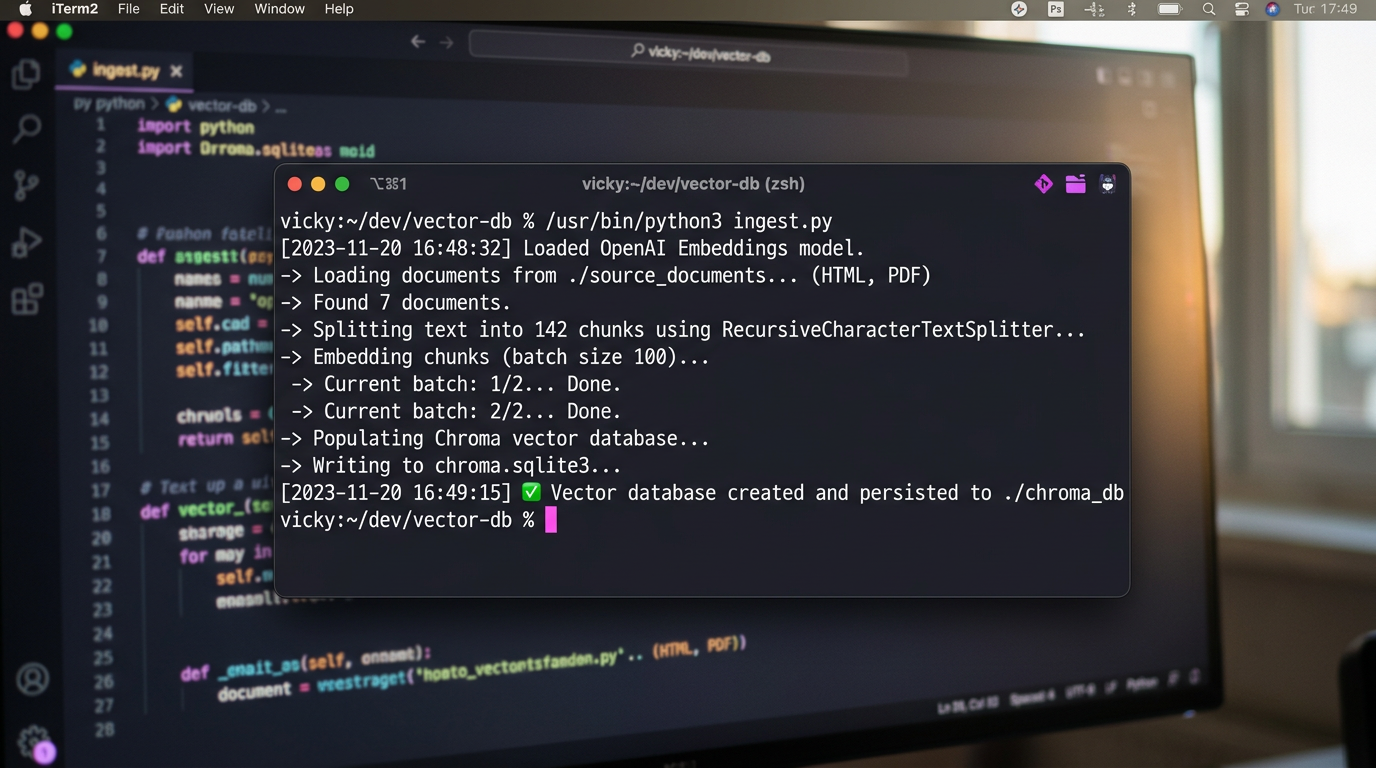
Step 4: The Retrieval Chain
This is where the magic happens. We create a chain that takes a query, retrieves the most relevant chunks, and passes them to the LLM as context.
from langchain_openai import ChatOpenAI
from langchain.chains import RetrievalQA

llm = ChatOpenAI(model_name="gpt-4-turbo", temperature=0)

# Create the RAG chain
rag_chain = RetrievalQA.from_chain_type(
    llm=llm,
    chain_type="stuff",
    retriever=vector_db.as_retriever(search_kwargs={"k": 3})
)

query = "How do I configure the API timeout?"
response = rag_chain.invoke(query)
print(response["result"])
Pro Tips for Production RAG
Getting a basic RAG demo working is easy; making it production-ready is where most developers struggle. Based on my experience building these for clients, here are three tips:
- Hybrid Search: Don’t rely solely on vector (semantic) search. Combine it with keyword search (BM25) for technical terms or product IDs that embeddings might miss.
- Re-ranking: Retrieve 20 documents, then use a Cross-Encoder model (like Cohere ReRank) to pick the top 5. This drastically improves accuracy.
- Prompt Engineering: Explicitly tell the LLM: “Answer only using the provided context. If the answer is not in the context, say ‘I don’t know’.” This kills hallucinations.
If you’re moving beyond a hobby project, I highly recommend reading my building a production ready RAG pipeline guide for a deeper dive into evaluation frameworks like Ragas.
Troubleshooting Common Issues
Issue: The bot gives generic answers instead of using my data.
Check your retrieval step. Print the retrieved chunks before they go to the LLM. If the chunks aren’t relevant, your chunking strategy or embedding model is the culprit.
Issue: Response times are too slow.
Vector search is fast, but the LLM generation is slow. Try using a smaller, faster model (like GPT-3.5-Turbo or Claude Haiku) for simple retrieval tasks.
What’s Next?
You now have a working RAG system. But the world of AI is moving fast. I suggest exploring Agentic RAG, where the AI can decide when to search the database and when to use a tool (like a calculator or a web search) to answer a query.
Ready to scale? Start by optimizing your infrastructure. Check out my latest thoughts on selecting the right vector DB for 2026 to ensure your system doesn’t crash under load.