
Choosing a CSS framework in 2026 isn’t about which one is ‘better’—it’s about which one fits your workflow. After spending the last few months migrating several client projects, I’ve found that the tailwind css vs bootstrap 2026 comparison often boils down to a trade-off between speed of initial setup and long-term design flexibility.
For years, Bootstrap was the undisputed king. It gave us a shared language of ‘rows’ and ‘columns’. Then Tailwind arrived and flipped the script by bringing the CSS directly into our HTML. Now, with the rise of headless UI and sophisticated design systems, the gap between them has shifted.
Option A: Tailwind CSS (The Utility-First Powerhouse)
Tailwind CSS doesn’t give you a ‘Button’ component. Instead, it gives you the tools to build one. In my experience, this is where its greatest strength lies: zero-runtime CSS and total creative freedom.
The Pros
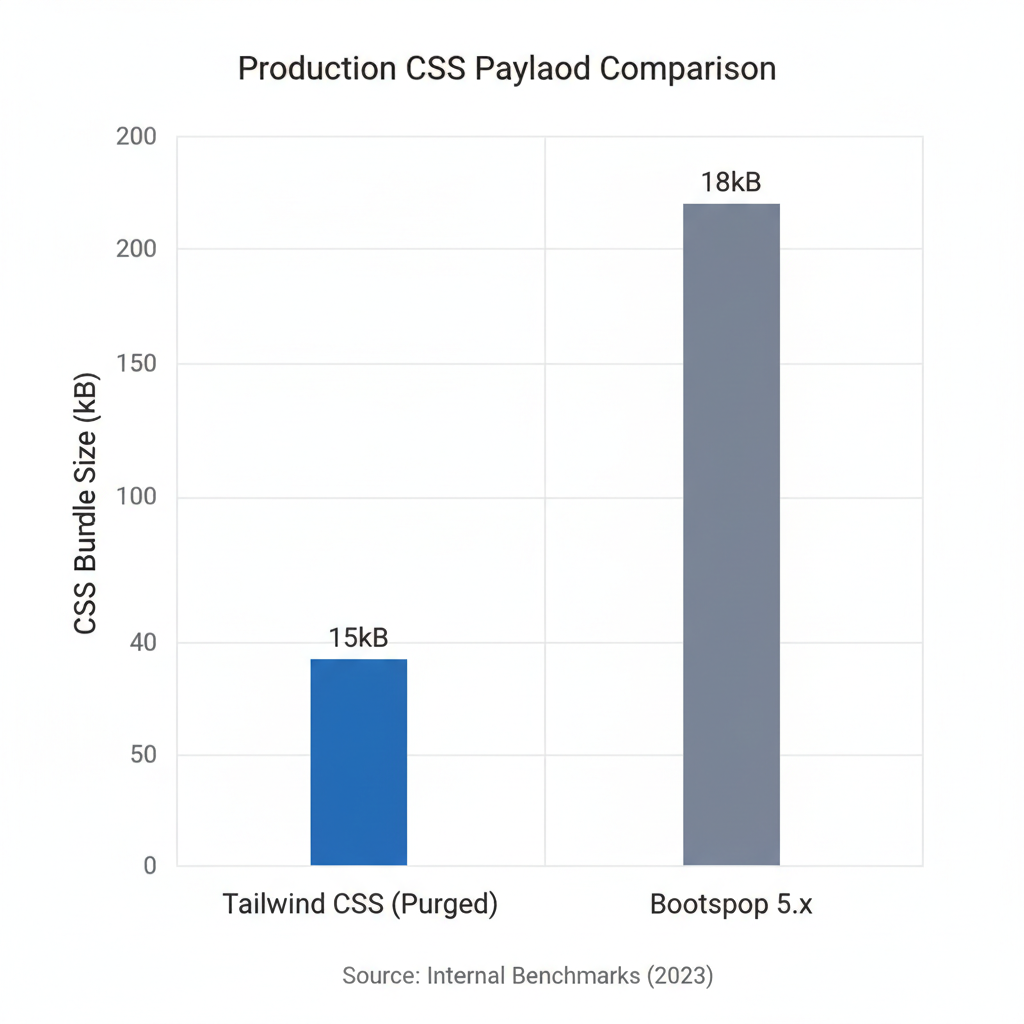
- No CSS File Bloat: Since Tailwind purges unused styles, the final CSS bundle is incredibly small.
- Rapid Prototyping: Once you learn the shorthand (like
flex,pt-4,text-center), you can build complex UIs without ever leaving your HTML file. - Deep Integration: It plays beautifully with modern meta-frameworks. If you’re wondering can I use Angular with Tailwind, the answer is a resounding yes, and the experience is seamless.
- Consistent Design System: You aren’t fighting against default browser styles or ‘framework looks’.
The Cons
- HTML Clutter: Your class strings can become monstrous. I’ve seen elements with 20+ classes, which can be a nightmare to read without a good IDE plugin.
- Learning Curve: You actually need to know CSS. If you don’t know what
flex-growdoes, Tailwind’sgrowclass won’t help you.
Option B: Bootstrap (The Component-Driven Standard)
Bootstrap remains the most reliable way to get a professional-looking site online in under an hour. It provides pre-built components that ‘just work’.
The Pros
- Speed of Delivery: Need a navbar, a modal, and a carousel? You can copy-paste these from the docs and be done in minutes.
- Low Barrier to Entry: You don’t need to be a CSS expert to build a responsive layout using the Bootstrap grid system.
- Massive Ecosystem: Because it’s been around so long, there is a theme or a plugin for almost every possible use case.
The Cons
- The ‘Bootstrap Look’: Without significant customization, your site will look like a thousand other admin dashboards from 2018.
- CSS Overhead: You often ship a lot of CSS that you never actually use, which can impact Core Web Vitals.
- Customization Friction: Overriding Bootstrap’s default styles often requires writing complex CSS selectors with high specificity, which I find tedious.
Feature Comparison Matrix
As shown in the comparison below, the choice depends on whether you prioritize development speed or design precision.
| Feature | Tailwind CSS | Bootstrap |
|---|---|---|
| Approach | Utility-first | Component-based |
| Bundle Size | Very Small (Purged) | Medium to Large |
| Customization | Infinite/Native | Requires Overrides |
| Learning Curve | Moderate (Requires CSS knowledge) | Low (Plug and Play) |
| Design Uniqueness | High | Low (Out of box) |
Practical Use Cases: Which one to pick?
I’ve used both in production throughout 2025 and 2026. Here is my rule of thumb:
Choose Tailwind CSS if…
You are building a unique brand identity, a complex SaaS product, or a high-performance landing page. If you are already using a component library for logic—such as when I wrote my shadcn ui review for production—Tailwind is the only logical choice because it powers those modern headless libraries.
Choose Bootstrap if…
You are building an internal company tool, a quick MVP to validate an idea, or a project where you don’t have a dedicated designer. If the goal is ‘functional and clean’ rather than ‘pixel-perfect and unique’, Bootstrap wins.
Tailwind CSS vs Bootstrap 2026 Comparison: My Verdict
If I’m starting a project today in 2026, I choose Tailwind CSS 90% of the time. The ability to maintain a design system without writing a single line of custom CSS in a separate file is a productivity multiplier I can’t ignore. While Bootstrap is a legend, the industry has moved toward the flexibility and performance of utility-first CSS.
@apply directive sparingly in your CSS files.
Official resources for Tailwind CSS vs Bootstrap 2026 Comparison
Documentation and references for Tailwind CSS vs Bootstrap 2026 Comparison:
