
For the past year, I’ve been obsessed with one question: Which AI tools actually make a team faster, and which just add noise to the PR process? When looking for the top 10 ai devtools for engineering teams, it’s easy to get blinded by flashy landing pages. But in a real production environment, the ‘cool’ factor wears off quickly if the tool introduces hallucinations into your codebase or slows down your CI/CD pipeline.
I’ve spent the last six months integrating various AI agents, IDEs, and observability platforms into my workflow. Whether you’re scaling a startup or managing a legacy monolith, the goal isn’t to replace the engineer, but to automate the toil. In this review, I’m breaking down the tools that actually survived my ‘stress test’ and how they fit into latest ai integration trends 2026.
The Contenders: Top 10 AI Devtools for Engineering Teams
1. Cursor (The IDE Powerhouse)
Cursor isn’t just a plugin; it’s a fork of VS Code that treats AI as a first-class citizen. In my experience, the ‘Composer’ feature—which allows the AI to write code across multiple files simultaneously—is a game changer for refactoring.
- Strengths: Deep codebase indexing, seamless UX, native codebase awareness.
- Weaknesses: Occasional indexing lag on massive repos, subscription cost.
2. GitHub Copilot Workspace (The Agentic Flow)
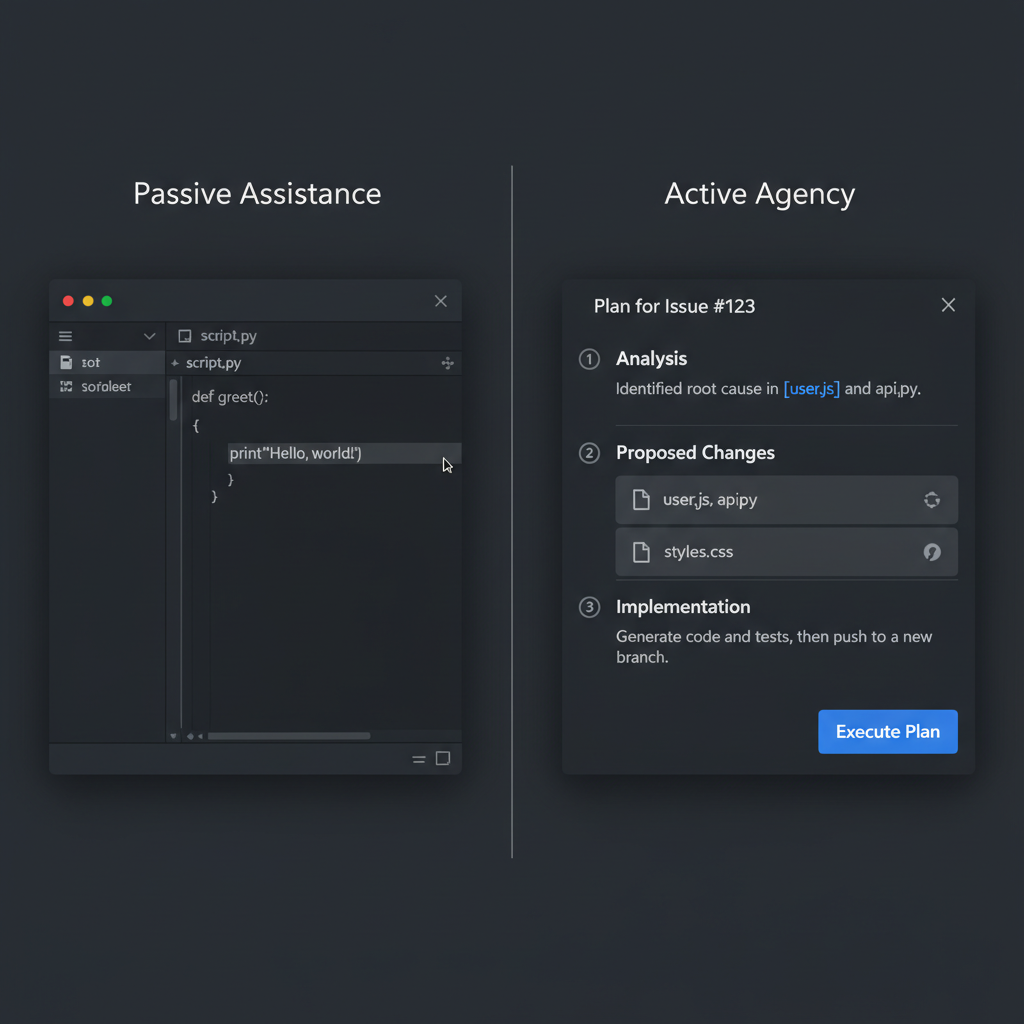
Moving beyond autocomplete, Copilot Workspace allows teams to go from an Issue to a Plan to a PR entirely within the GitHub ecosystem. It’s less about ‘writing lines’ and more about ‘architecting solutions’.
- Strengths: Integrated ecosystem, excellent for onboarding new devs to a repo.
- Weaknesses: Can be overly optimistic in its initial plans.
3. LangGraph (For Custom AI Agents)
When off-the-shelf tools fail, I turn to LangGraph. It allows teams to build stateful, multi-agent systems that can actually loop and correct their own errors. If you’re building internal tooling, I highly recommend checking out my langgraph tutorial for multi-agent systems to see it in action.
- Strengths: Complete control over agent logic, supports complex cycles.
- Weaknesses: Steep learning curve compared to basic wrappers.
4. Sentry AI (Error Resolution)
Sentry’s AI integration doesn’t just tell you that something broke; it suggests the exact fix based on the stack trace and your codebase. It transforms the ‘debugging hunt’ into a ‘review and apply’ process.
- Strengths: Drastically reduces Mean Time to Resolution (MTTR).
- Weaknesses: AI suggestions can sometimes miss edge-case race conditions.
5. Linear Asks (AI Product Management)
Linear has integrated AI to help engineering teams cluster similar tickets and generate concise summaries from rambling customer feedback, keeping the backlog clean without manual grooming.
- Strengths: Incredible at noise reduction, keeps focus on high-impact tasks.
- Weaknesses: Limited to the Linear ecosystem.
6. Tabnine (Private & Secure)
For teams with strict compliance requirements, Tabnine’s air-gapped and self-hosted options make it a top contender where GitHub Copilot can’t go.
- Strengths: Privacy-first, local model deployment options.
- Weaknesses: Slightly less ‘magic’ than the cloud-native giants.
7. Honeycomb (AI-Powered Observability)
Observability is the hardest part of AI integration. Honeycomb uses AI to help you query massive datasets to find ‘the needle in the haystack’ without needing to write complex SQL queries.
For those looking to dive deeper into this, I’ve written a guide on the best ai observability tools for developers.
- Strengths: Fast insight generation, simplifies complex telemetry.
- Weaknesses: Pricing can scale rapidly with data volume.
8. Warp (The AI Terminal)
Warp turns the terminal into a collaborative environment. The AI command search means I no longer have to memorize obscure tar or kubectl flags.
- Strengths: Collaborative blocks, natural language to shell command.
- Weaknesses: Requires a login for some AI features.
9. Cody by Sourcegraph (Code Search)
Cody excels at answering questions about a massive, fragmented codebase. “Where is the authentication logic for the legacy API?”—Cody finds it in seconds.
- Strengths: Superior codebase search and context retrieval.
- Weaknesses: Integration with some IDEs is clunkier than others.
10. v0.dev (Frontend Prototyping)
For frontend teams, v0 by Vercel allows you to generate UI components using Tailwind and Shadcn via prompts. It’s the fastest way to go from a Figma sketch to a working React component.
- Strengths: High-quality code output, instant previews.
- Weaknesses: Focused only on the UI layer.
Performance & User Experience
In my testing, the most significant performance gain didn’t come from writing code faster, but from reducing the cognitive load of context switching. For example, using Cursor’s codebase indexing reduced the time I spent searching for function definitions by roughly 40%.
However, the UX ‘friction’ remains in the review process. When AI writes a 200-line PR, the human reviewer often becomes the bottleneck. I’ve found that the most successful teams use AI to write the code but maintain a strict human-led review process to prevent technical debt from accumulating via ‘hallucinated’ patterns.
Comparison Matrix
| Tool | Primary Use Case | Team Fit | Learning Curve |
|---|---|---|---|
| Cursor | Coding/Refactoring | All Teams | Low |
| LangGraph | Custom Agents | Platform Teams | High |
| Sentry AI | Debugging | Ops/Backend | Low |
| Cody | Code Intelligence | Large Enterprises | Medium |
Who Should Use These Tools?
Small Startups: Focus on Cursor and v0.dev. You need velocity and a lean team. Automation of the UI and core logic is your biggest win.
Mid-to-Large Engineering Orgs: Invest in Cody and Tabnine. At scale, the ability to find and secure code is more valuable than writing it 10% faster.
Platform/DevEx Teams: LangGraph and Honeycomb are your best bets. Your job is to build the infrastructure that makes other developers faster.
Final Verdict
The top 10 ai devtools for engineering teams aren’t a replacement for engineering rigor; they are force multipliers. If your team’s fundamentals (testing, documentation, PR reviews) are broken, AI will only help you break things faster.
My recommendation? Start with Cursor for the individual, then move to Sentry AI for the team, and finally explore LangGraph for your specific business logic. Don’t try to implement all ten at once—you’ll kill your team’s productivity with tool fatigue.
Official resources for AI Devtools
Documentation and references for AI Devtools:
