
If you build web interfaces for a living, your workflow is fundamentally changing. Over the past three months, I have migrated my entire tech stack to test the most popular tools on the market, resulting in this comprehensive ai code generation tools for frontend development review. We are no longer just dealing with glorified autocomplete; we are looking at systems that understand your entire codebase, generate functional UI components from screenshots, and drastically reduce boilerplate.
But the market is incredibly noisy. When evaluating developer productivity tools 2024, you’ll find a massive gap between marketing promises and actual day-to-day coding utility. In this review, I put the three heavyweights—Cursor, v0 by Vercel, and GitHub Copilot—through rigorous frontend-specific tests. I built a full Next.js dashboard, refactored a legacy React codebase, and tested their ability to handle complex Tailwind CSS layouts.
Whether you’re looking to streamline your personal projects or bring automation in frontend workflows to your enterprise team, here is my honest, developer-to-developer breakdown of where these tools shine and where they completely fall flat.
Strengths: Where These AI Tools Shine
After hundreds of hours in the editor, several clear advantages have emerged that fundamentally change how I write frontend code:
- Context-Aware Component Generation: Tools like Cursor excel at reading your existing design system. If I ask it to “create a new user profile card,” it automatically imports my existing
ButtonandAvatarcomponents rather than inventing new ones from scratch. - Rapid UI Prototyping (Zero to One): Vercel’s v0 is practically magic for prototyping. You can prompt “a SaaS pricing table with a dark mode toggle” and get a fully functional React/Tailwind component rendered in seconds.
- Tailwind CSS Mastery: Let’s face it, memorizing Tailwind classes is tedious. These AI tools have seemingly ingested the entire Tailwind documentation, making complex flexbox and grid layouts trivial to generate.
- Instant Refactoring: Converting a massive monolithic component into smaller, reusable child components used to take me 30 minutes. Highlighting the code in Cursor and typing “split this into three logical sub-components” does it accurately in 10 seconds.
- Boilerplate Elimination: Setting up Redux slices, React Context providers, or Zod validation schemas is now completely automated. This is a massive win for maximizing developer productivity.
- Cross-File Understanding: The “Composer” feature in Cursor can edit multiple files simultaneously. If I add a new field to a database schema, it can automatically update the API route, the frontend type definitions, and the UI form inputs in one shot.
Weaknesses: The Current Limitations
Despite the hype, these tools are not ready to replace a senior frontend engineer. Here are the frustrating roadblocks I hit repeatedly:
- Hallucinations in Complex State Management: While AI nails basic `useState`, it frequently hallucinates or creates race conditions when dealing with complex asynchronous state, WebSockets, or intricate `useEffect` dependencies.
- Accessibility (a11y) Blind Spots: Unless explicitly prompted, the generated code often ignores ARIA labels, keyboard navigation, and screen-reader optimizations. You still need deep human knowledge to ensure your site is inclusive.
- Over-reliance on Generic Patterns: AI loves generic solutions. It will often suggest standard React patterns even when a framework-specific optimization (like Next.js Server Components) would be much more performant.
- Context Window Degradation: In massive monorepos, even the best AI assistants start to “forget” instructions or lose track of deeply nested utility functions, resulting in code that imports non-existent files.
Pricing Breakdown
Budget is a major factor when choosing your stack. Here is how the primary contenders price their AI assistance as of 2024:
- Cursor: Offers a generous free tier (with basic models). The Pro tier is $20/month, giving you unlimited fast premium requests (Claude 3.5 Sonnet / GPT-4o) and access to the multi-file Composer.
- v0 by Vercel: Free tier includes 200 credits/month. Premium starts at $20/month, which unlocks private generations (crucial for enterprise) and higher resolution generations.
- GitHub Copilot: $10/month for individuals, $19/month per user for businesses. It’s the cheapest premium option, but lacks the advanced multi-file editing capabilities of Cursor.
Performance and Accuracy
When looking for the best AI code assistants for React, performance is measured in how little you have to edit the generated code.
Cursor (specifically using the Claude 3.5 Sonnet model) is currently the undisputed king of accuracy. It understands exactly where my cursor is, reads my terminal errors, and fixes them with about 90% accuracy on the first try.
v0 is highly accurate for visual generation. Because it renders the UI in the browser before you copy the code, you know exactly what you’re getting. However, integrating its generated code into an existing complex state machine requires manual wiring.
GitHub Copilot is incredibly fast for single-line autocomplete, but its chat interface frequently provides outdated React patterns (like suggesting class components or older React Router syntax) unless carefully guided.
User Experience and Editor Integration
The best AI tool is the one that gets out of your way. This is where the divergence is most obvious.
Copilot lives as an extension in VS Code. It works well, but it is confined by VS Code’s API limits. You have to copy and paste code from the chat window manually most of the time.
Cursor is a fork of VS Code. This means it has deep, native integration. The CMD+K inline editing experience is fluid. You highlight code, type a prompt, and watch it rewrite the code in place with a clean diff view. It feels like an extension of your own thought process.
v0 is entirely browser-based. It’s fantastic for brainstorming and initial design phases, but it forces a context switch. You generate in the browser, then use their CLI to pull the component into your local editor.
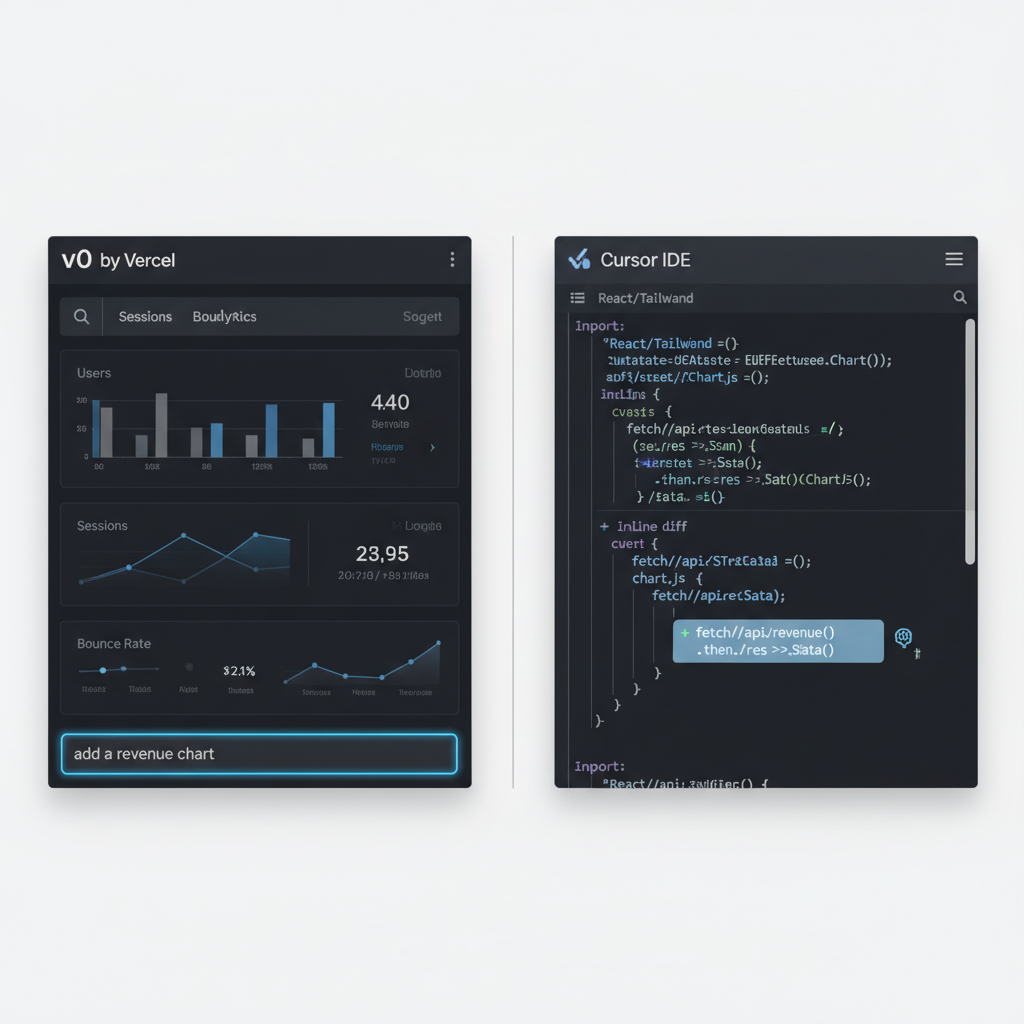
Comparison: Cursor vs v0 vs Copilot
Here is a side-by-side look at how they stack up for modern frontend development:
| Feature | Cursor | v0 (Vercel) | GitHub Copilot |
|---|---|---|---|
| Primary Use Case | Full-stack / Logic / Refactoring | UI Prototyping / Visual Generation | Inline Autocomplete |
| Multi-File Editing | Excellent (Composer) | N/A (Single Component Focus) | Limited (Chat only) |
| Visual Preview | No | Yes (Live React Render) | No |
| Tailwind Support | Great | Flawless | Good |
| Editor Integration | Standalone IDE (VS Code Fork) | Browser + CLI | IDE Extension |
Who Should Use Which Tool?
Your ideal choice depends entirely on your role in the frontend lifecycle:
- Choose v0 by Vercel if: You are an indie hacker, a designer transitioning to code, or a frontend dev tasked with rapidly building dashboards and landing pages from scratch. It is unmatched for translating ideas into visual components.
- Choose Cursor if: You are a professional frontend or full-stack engineer managing complex, existing codebases. If you are automating tedious frontend tasks like refactoring, type generation, and writing tests, Cursor is a massive multiplier.
- Choose GitHub Copilot if: You are locked into an enterprise ecosystem that requires strict compliance, or you prefer a lightweight autocomplete experience without changing your underlying IDE.
AI Code Generation Tools for Frontend Development Review: Final Verdict
After testing these tools to their limits, Cursor (paired with Claude 3.5 Sonnet) is my top pick for professional frontend developers. The ability to index your entire codebase and apply multi-file edits is a paradigm shift in how software is written.
However, the perfect modern workflow is actually a hybrid approach: I use v0 to generate the initial “dumb” UI components based on a design, and then I use Cursor to wire up the complex state, APIs, and database logic. Combining these two tools provides an unparalleled development experience that will easily double your output.
Check out the FAQ section below for answers to common questions about security, enterprise usage, and specific framework support.
Frequently Asked Questions
Official resources for AI Code Generation Tools for Frontend Development Review
Documentation and references for AI Code Generation Tools for Frontend Development Review:
