Introduction to Spring Boot for Modern Java Developers
When I first started building Java applications nearly a decade ago, setting up a simple web server felt like a weekend project in itself. You had to manage XML configurations, manually wire dependencies, and struggle with server deployments. This spring boot for beginners introduction is designed to show you that those days are long gone. Today, Spring Boot has become the gold standard for backend engineering because it takes the complexity of the Spring Framework and hides it behind sensible defaults.
In my experience, the biggest hurdle for beginners isn’t the Java language itself—it’s the massive ecosystem surrounding it. Spring Boot acts as your guide, allowing you to focus on writing business logic while it handles the plumbing. Whether you are building a microservice or a simple CRUD API, understanding the fundamentals of Spring Boot is the first step toward professional-grade development.
Core Concepts: Why Use Spring Boot?
Before we write a single line of code, we need to understand what Spring Boot actually does. At its heart, Spring Boot is an extension of the Spring Framework that focuses on Convention over Configuration.
- Auto-Configuration: Spring Boot looks at the JAR files you’ve added to your project and automatically configures your app based on those dependencies. If it sees
spring-boot-starter-web, it assumes you’re building a web app and sets up an embedded Tomcat server. - Starter Dependencies: Instead of hunting for compatible versions of 20 different libraries, you just include one “Starter” POM.
- Embedded Servers: You no longer need to install a separate web server like Tomcat or Jetty on your machine. The server is part of your application (the “Fat JAR”).
If you’re already familiar with Java, you might be interested in how these features can be extended, such as in this spring boot custom annotation example, which showcases the framework’s power to reduce code duplication.
Getting Started: Your Development Environment
To follow along with this spring boot for beginners introduction, you’ll need three things on your machine:
- Java Development Kit (JDK): I recommend using JDK 17 or 21 (LTS versions).
- An IDE: IntelliJ IDEA (Community or Ultimate) is the industry favorite, though VS Code with Java extensions works too.
- Build Tool: Maven or Gradle. Don’t worry about installing these separately; the Spring wrapper handles it for you.
The Spring Initializr
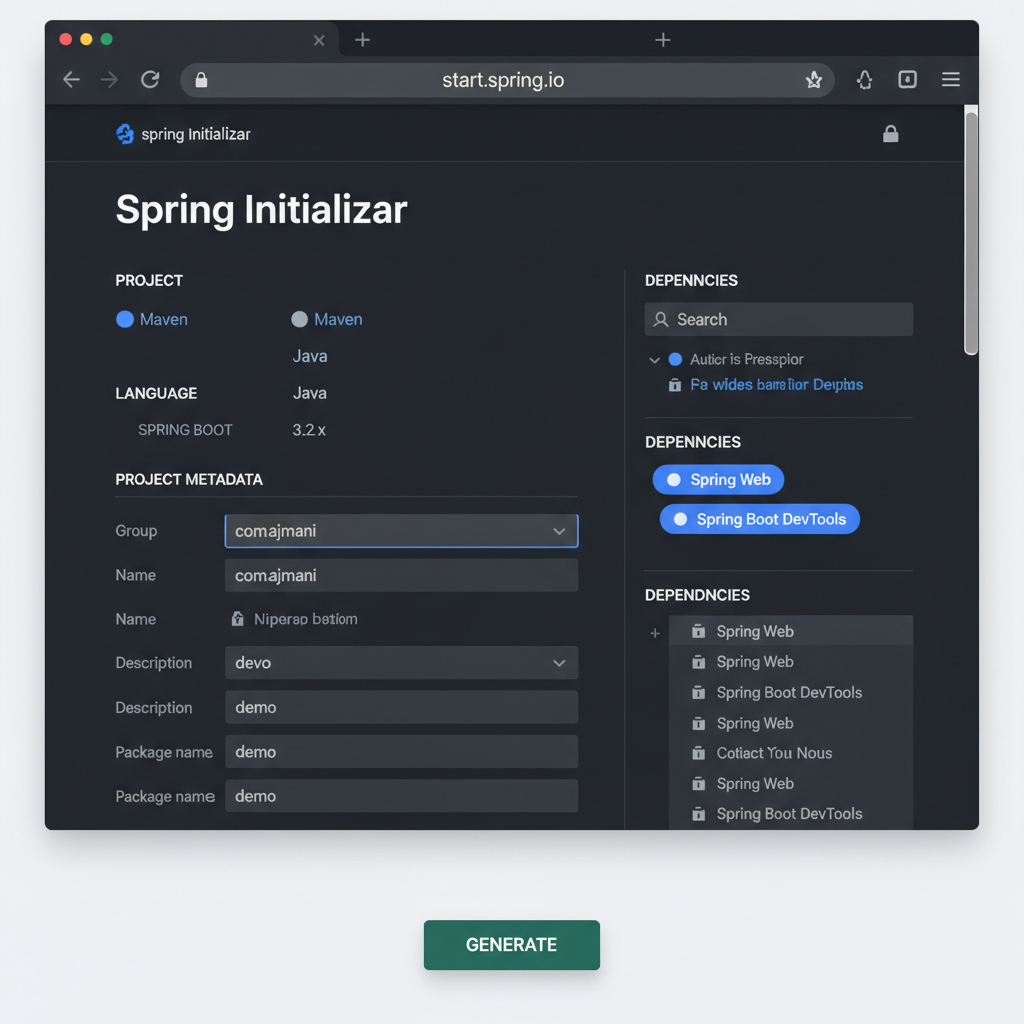
The easiest way to start is start.spring.io. It’s a web-based tool that generates your project structure. As shown in the image below, you simply select your language, Spring Boot version, and dependencies.
Building Your First Project
Once you’ve downloaded your project from the Initializr, open it in your IDE. Let’s create a simple REST controller to see Spring Boot in action. Create a new Java class named HelloController.java:
package com.example.demo;

import org.springframework.web.bind.annotation.GetMapping;
import org.springframework.web.bind.annotation.RestController;

@RestController
public class HelloController {

    @GetMapping("/hello")
    public String sayHello() {
        return "Welcome to your first Spring Boot app!";
    }
}
Run the main method in your DemoApplication class. Open your browser and navigate to http://localhost:8080/hello. You’ve just built a production-ready web server in seconds. This simplicity is exactly why this framework dominates the market.
Common Mistakes Beginners Make
Even with Spring Boot’s help, I’ve seen many developers fall into the same traps. Here’s how to avoid them:
- Scanning the Wrong Packages: By default, Spring Boot only looks for components (like your Controller) in the package where your main application class resides or its sub-packages. If your code isn’t working, check your package structure.
- Over-complicating Configuration: Don’t try to go back to XML. Use the
application.propertiesorapplication.ymlfile for configuration. - Ignoring Logs: When something goes wrong, the terminal output is your best friend. Learning to read stack traces early will save you hours. For more advanced setups, check out spring boot logging best practices.
The Recommended Learning Path
Mastering Spring Boot is a marathon, not a sprint. If you are serious about becoming a backend developer, follow this sequence:
- Java Fundamentals: Annotations, Generics, and Collections are vital.
- Spring Core: Understand Dependency Injection (DI) and Inversion of Control (IoC).
- Spring Data JPA: Learn how to talk to databases without writing SQL.
- Spring Security: Secure your endpoints properly.
For more on the broader landscape, check out our guide on backend engineering fundamentals or explore REST API design principles to ensure your controllers follow industry standards.
Spring Boot for Beginners: Essential Tools for Spring Developers
In my daily workflow, these tools are non-negotiable:
- Postman/Insomnia: For testing your API endpoints.
- Docker: For running databases (like PostgreSQL) locally without the mess.
- Spring Boot DevTools: An optional dependency that restarts your server automatically whenever you change code.
Final Verdict
Spring Boot isn’t just a framework; it’s an accelerator. While the learning curve can feel steep because of the sheer number of features, starting with the basics—controllers, simple properties, and starter dependencies—will give you the momentum you need. Stick with it, and soon you’ll be building complex distributed systems with the same ease we built our “Hello World” controller today.
Official resources for Spring Boot for Beginners
Documentation and references for Spring Boot for Beginners:
