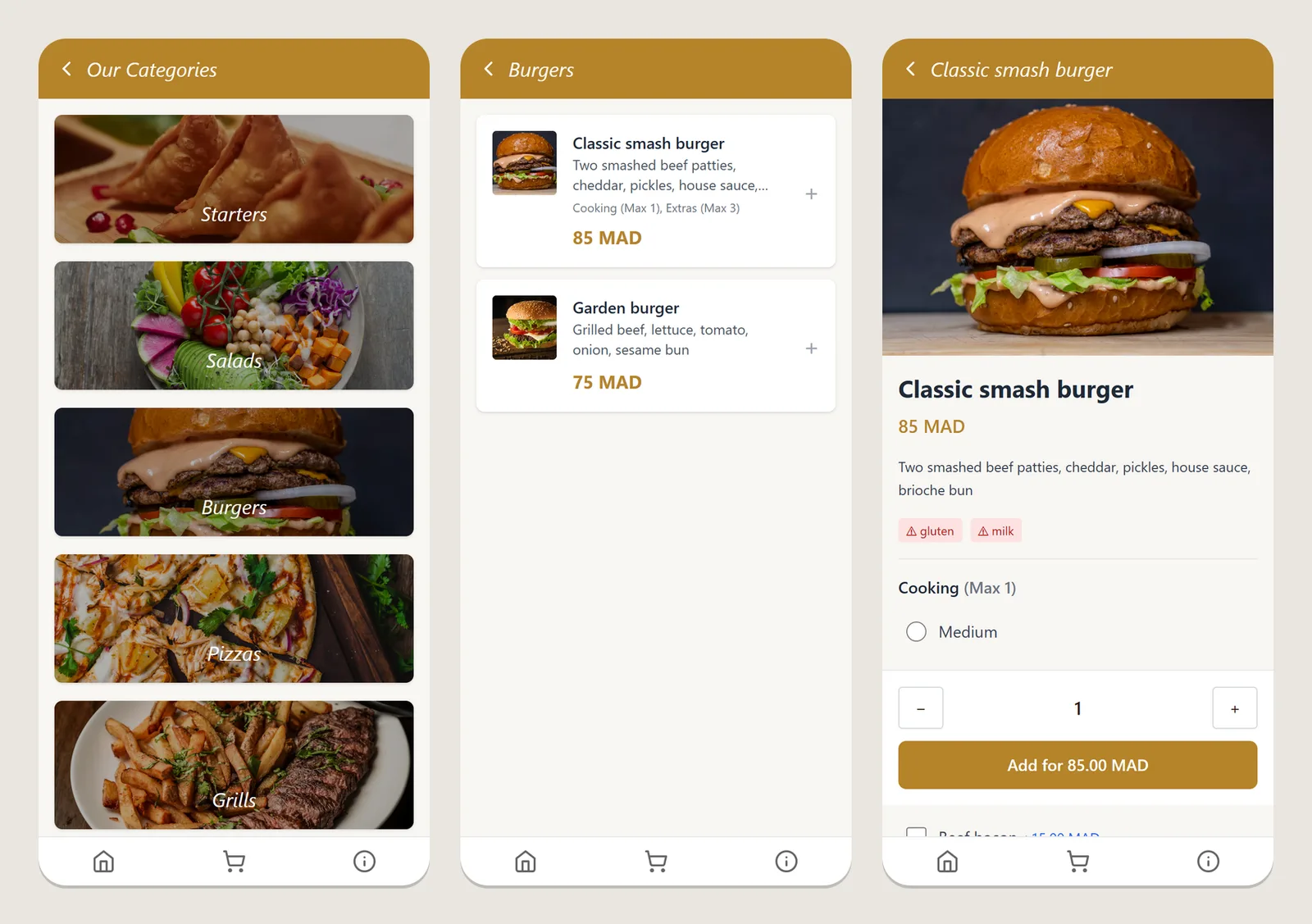
A restaurant owner wants three things from a digital menu: customers scan a QR code at the table and see the menu instantly, the staff can change a price in ten seconds, and nobody ever sees another restaurant’s data. MenuApp is the platform I built to do exactly that for many restaurants at once. It is a multi-tenant SaaS with Spring Boot: one backend, one database, and a hard wall between customers.
This case study walks through how it works and how I built it, step by step, with the code that matters. If you are planning a SaaS product of your own, most of these decisions will apply to you too.
The project at a glance
| What it is | A QR menu platform for restaurants (Morocco first, wider MENA region planned) |
| Who uses it | Restaurant owners and their staff (dashboard), diners (public menu), platform admins |
| Backend | Spring Boot 4 on Java 21, PostgreSQL, Redis, JWT authentication, Flyway migrations |
| Front ends | Two React apps built with Vite: the owner dashboard and the public menu |
| Infrastructure | Docker, Nginx with wildcard subdomains, Prometheus metrics, GitHub Actions CI with a Trivy image scan, daily database backups |
The problem a menu SaaS has to solve
Building one digital menu is easy. Building a product that hundreds of restaurants can sign up for is a different job, because every feature now has a second question attached: whose data is this? A menu item, a QR code, a staff account and a scan statistic all belong to exactly one restaurant, and every query in the system has to respect that.
The other requirements came from how restaurants actually work:
- The public menu must be fast. A diner holding a phone at the table will not wait for a slow page. Scans happen in bursts at lunch and dinner.
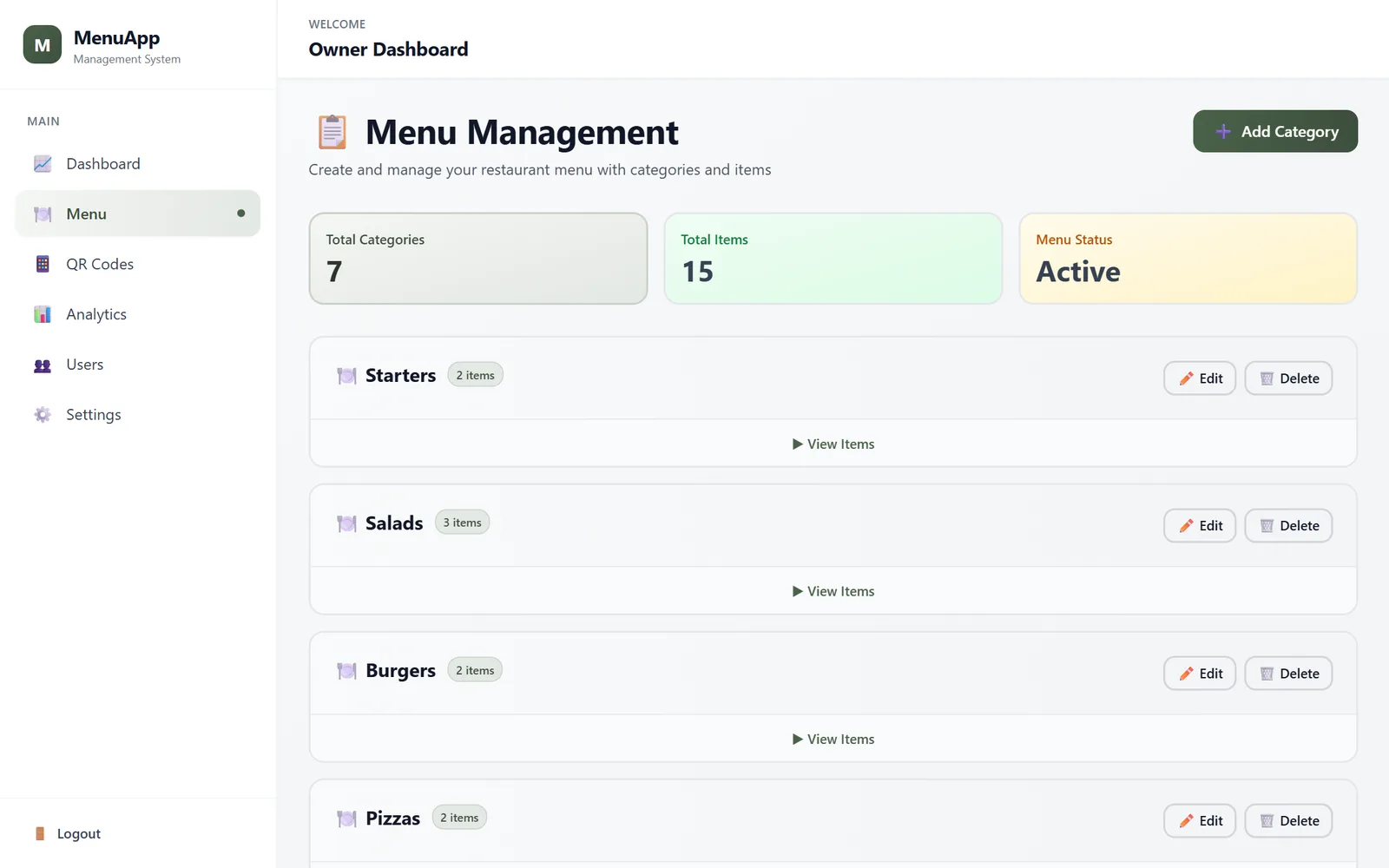
- Owners need staff accounts with limits. A manager can change the menu; a waiter should only be able to view it.
- The business model needs plans. A free plan with limits, paid plans without them, enforced by the backend rather than hidden buttons.
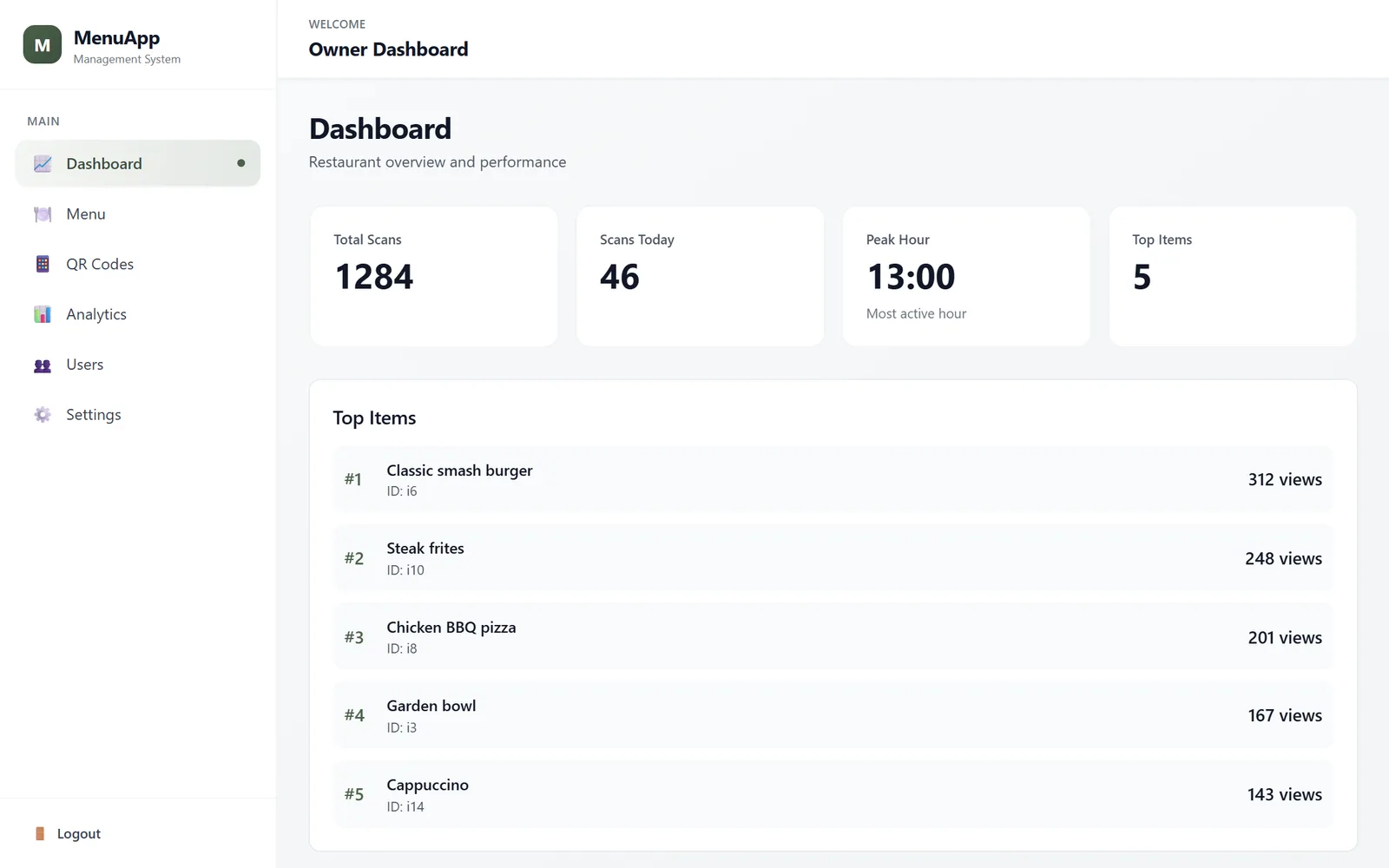
- Owners want to know if the QR codes are used. Which tables scan, when, and which dishes get looked at.
Architecture
I chose a single database with a tenant_id column on every tenant-owned table, rather than one database or schema per restaurant. For a product where each tenant has a small amount of data (a menu, a few users, some QR codes), shared tables are cheaper to run, simpler to migrate and easy to back up. The cost is that isolation becomes the application’s job, so I made it the first thing the request pipeline does and the hardest thing to get wrong.
Diner's phone ──► marios.menuapp.com ──► Nginx (wildcard subdomain) ──► public menu app (React)
                                                │
Owner's browser ──► app.menuapp.com ────────────┤
                                                ▼
                                   Spring Boot API (/api/v1)
                                   ├─ TenantFilter: who is this request for?
                                   ├─ Hibernate tenant filter on every query
                                   ├─ Redis: menu cache, QR code lookup, rate limits
                                   └─ PostgreSQL (Flyway-managed schema)
The code follows a layered structure: domain (entities and repositories), application (services such as menus, QR codes, analytics, users), web (controllers, DTOs, filters) and infrastructure (persistence helpers). Storage for uploaded images sits behind a StoragePort interface with a local implementation, so moving images to S3 later means writing one adapter, not touching the services.
Step 1: Decide, on every request, which tenant it belongs to
The first question for each request is “which restaurant is this for?”. There are three legitimate answers, and the order in which they are checked is a security decision:
- The caller’s JWT. When a restaurant user is logged in, the tenant comes from their token, never from anything they send in the request.
- An
X-Tenant-Idheader, only for platform admins. Support staff sometimes need to act inside a specific restaurant. The header is honoured only when the token belongs to aSUPER_ADMIN; for anyone else it is ignored. - The subdomain, for the public menu.
marios.menuapp.comresolves the slugmariosto a tenant. Anonymous visitors can read a menu this way, and nothing else.
The resolved tenant is stored in a ThreadLocal for the duration of the request, and cleared in a finally block. That last line matters: application servers reuse threads, and a tenant left behind on a thread would leak into the next request.
public final class TenantContext {
    private static final ThreadLocal<UUID> CTX = new ThreadLocal<>();

    public static void set(UUID id) { CTX.set(id); }
    public static void clear()      { CTX.remove(); }
    public static UUID require() {
        UUID id = CTX.get();
        if (id == null) throw new TenantContextMissingException();
        return id;
    }
}

// In TenantFilter (a OncePerRequestFilter):
try {
    UUID tenantId = extractTenantId(parseJwtClaims(req));   // 1. from the user's own token
    if (tenantId != null) { TenantContext.set(tenantId); chain.doFilter(req, res); return; }
    // 2. X-Tenant-Id, only for verified SUPER_ADMIN tokens
    // 3. subdomain slug for the public menu
    ...
} finally {
    TenantContext.clear();   // never leak a tenant into the next request on this thread
}
require() throws instead of returning null. If any code path ever reaches a tenant-scoped service without a tenant, the request fails loudly rather than quietly running an unscoped query.
Step 2: Make every query tenant-scoped by default
Remembering to add WHERE tenant_id = ? to every query is exactly the kind of rule that a tired developer breaks at 11 pm. Hibernate filters move the rule into the entity definition:
@Entity
@FilterDef(name = "tenantFilter", parameters = @ParamDef(name = "tenantId", type = UUID.class))
@Filter(name = "tenantFilter", condition = "tenant_id = :tenantId")
public class MenuItem { ... }

public abstract class TenantAwareService {
    @PersistenceContext protected EntityManager em;

    protected void enableTenantFilter() {
        em.unwrap(Session.class)
          .enableFilter("tenantFilter")
          .setParameter("tenantId", TenantContext.require());
    }
}
Every service that touches tenant data extends TenantAwareService and enables the filter, so repository queries are scoped automatically. For lookups by ID I add an explicit check as a second layer, for example findByIdAndTenantId(id, tenantId): a restaurant guessing another restaurant’s category ID gets a “not found”, not the category.
Step 3: Users, roles and the rules between them
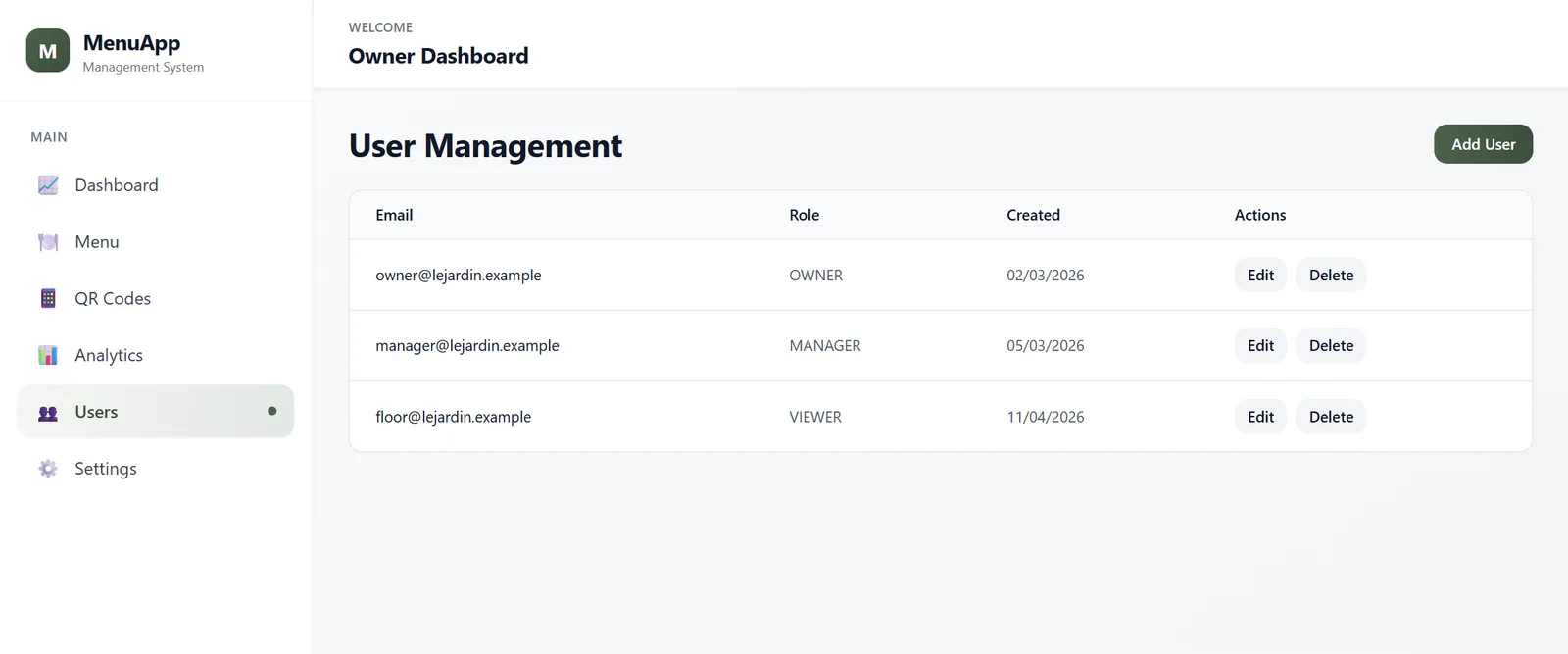
Each restaurant has an owner, who can add managers and viewers. A manager can add viewers but not other managers. Platform staff have a separate super admin role. The endpoint is protected by role, and the service checks the hierarchy before creating anyone:
@PostMapping("/api/v1/users")
@PreAuthorize("hasAnyRole('OWNER', 'MANAGER')")
public UserResponse create(@Valid @RequestBody CreateUserRequest req) {
    return userService.createUser(req);   // OWNER → MANAGER/VIEWER, MANAGER → VIEWER only
}
Passwords are validated (length, upper case, number, special character) and hashed with BCrypt. A super admin creates a new restaurant and its owner account in a single transaction, so there is never a tenant without an owner or an owner without a tenant.
Step 4: Plans enforced by the backend
A free plan that is only limited in the user interface is not a plan; anyone with a browser’s developer tools can bypass it. MenuApp enforces limits in the service layer, before anything is saved. The free plan allows ten menu items and a limited number of menu languages:
private static final int FREE_PLAN_ITEM_LIMIT = 10;

public ItemResponse createItem(CreateItemRequest req) {
    UUID tenantId = currentTenantId();
    MenuCategory cat = catRepo.findByIdAndTenantId(req.categoryId(), tenantId)
            .orElseThrow(() -> new ResourceNotFoundException("Category"));
    enforceFreePlanItemLimit(tenantId);        // throws PlanLimitExceededException
    enforcePlanLanguageLimit(req.nameI18n());  // menu translations per plan
    ...
}
The exception is mapped to a clear API error (“Free plan is limited to 10 menu items. Upgrade to Pro for unlimited items.”), which the dashboard turns into an upgrade prompt. Because the rule lives in one place, changing a plan later is a one-line change, not a hunt through the front end.
Step 5: A public menu that stays fast under load
The public menu is read hundreds of times for every time it is edited, which makes it a perfect cache candidate. The full menu of a restaurant is cached per tenant and evicted whenever anything in that restaurant’s menu changes:
@Cacheable(value = "menus", key = "#tenantId")
public MenuResponse getFullMenu(UUID tenantId) { ... }

@CacheEvict(value = "menus", key = "#root.target.getTenantId()")
public ItemResponse createItem(CreateItemRequest req) { ... }   // same on update and delete
Diners never see a stale price after an owner saves, and the database is not hit at all for repeat views.
Step 6: QR codes that resolve in one Redis lookup
Each table gets its own QR code, so the owner can see which tables scan. When a code is created, the service stores a mapping from the short code to the tenant in Redis, then generates a high-error-correction PNG with ZXing (it still scans when the printed sticker is scratched):
public QrProvisionResponse provision(String tableLabel) {
    String code = generateUniqueCode();
    QrCode qr = new QrCode();
    qr.setTenant(em.getReference(Tenant.class, currentTenantId()));
    qr.setCode(code);
    qr.setTableLabel(tableLabel);
    qrRepo.save(qr);
    // code → tenant in Redis, so a scan never needs a database query to know where to go
    redis.opsForValue().set("qr:" + code, currentTenantId().toString());
    return new QrProvisionResponse(qr.getId(), code, buildQrUrl(code), tableLabel);
}
Step 7: Analytics that never slow down a scan
Recording a scan is useful; making the diner wait for it is not. Scans and dish views are written asynchronously. The trade-off is written down in the code: losing one analytics row in a crash is acceptable, a slow menu is not. The async method receives the tenant explicitly, because the request’s ThreadLocal does not exist on the background thread.
// Called from the scan redirect path, which must stay fast.
@Async
public void recordScanAsync(UUID tenantId, UUID qrCodeId, String referrer, String deviceInfo) {
    QrCodeScan scan = new QrCodeScan();
    scan.setTenant(em.getReference(Tenant.class, tenantId));
    scan.setQrCode(em.getReference(QrCode.class, qrCodeId));
    ...
}
Step 8: Subdomains for every restaurant
Every restaurant gets its own address, slug.menuapp.com, without any DNS work per customer: a wildcard DNS record and a wildcard certificate point every subdomain at the same Nginx server, which serves the public menu app and forwards API calls with the original Host header so the backend can resolve the slug:
server {
    listen 443 ssl http2;
    server_name *.menuapp.com;
    root /var/www/menu;

    location /api/ {
        proxy_pass http://127.0.0.1:8080;
        proxy_set_header Host $host;          # the backend reads the restaurant from it
        proxy_set_header X-Forwarded-Proto $scheme;
    }
    location / { try_files $uri /index.html; }   # single-page app fallback
}
The admin dashboard lives on its own host, and /actuator endpoints are blocked at the proxy so health and metrics are never exposed publicly.
Security and production readiness
Before calling the platform production-ready I audited it and wrote the findings down, fixed the issues and kept a roadmap for the rest. The main points:
- Secrets only from the environment. The production profile refuses to start without real secrets, instead of falling back to development defaults.
- Rate limits backed by Redis on login and on the public analytics endpoints.
- Integration tests over real HTTP against a fresh, Flyway-migrated database. They prove tenant isolation, the permission matrix, token types and plan limits, not just that methods return values.
- CI on every push: the same test suite, then a Docker image build scanned with Trivy for known vulnerabilities.
- Daily PostgreSQL backups kept for 14 days.
What I would tell anyone building a multi-tenant SaaS with Spring Boot
- Decide your tenancy model on day one. Shared tables with a tenant column are the right default for most B2B SaaS products; it is much harder to change later.
- Put isolation in the plumbing, not in each query. A filter that is on by default protects you from the query someone forgets to write correctly.
- Enforce plans in the backend. The interface can hide a button; only the API can actually refuse.
- Cache what is read often and changed rarely, and evict on write so nobody sees stale data.
- Test isolation as a feature. “User of restaurant A cannot read restaurant B” deserves its own automated test.
Building something similar?
The same foundation fits most B2B products: booking systems, client portals, internal tools sold to several companies, white-label apps. A first version usually includes multi-tenant accounts and roles, the core feature, plan limits, an admin dashboard and a deployment pipeline. If you are planning one, I can help you scope it, build it, or review an existing codebase for tenant-isolation and security gaps.
Official resources for multi-tenant SaaS with Spring Boot
Documentation and references for multi-tenant SaaS with Spring Boot: