A clinic spends money on ads, people click, and most of them leave without booking. The ones who fill in a generic contact form get a reply days later, when they have already called someone else. This project was built for an eye clinic to fix both problems with lead generation automation: a short quiz that qualifies the visitor, an instant personal report they actually want, and automatic follow-ups for everyone who does not book straight away.
The client is not named here. The approach works the same for dental, aesthetic or physiotherapy clinics, and for most service businesses that sell a consultation.
The project at a glance
| Client | An eye clinic (laser surgery, cataract, dry eye and contact lens services) |
| Front end | React and TypeScript with Vite, Tailwind CSS, Framer Motion animations |
| Automation | n8n: webhook, two AI agents with structured output, Google Sheets as the lead table, a Google Docs report template exported to PDF, Gmail, timed waits |
| Booking | A configurable “booking bridge”: the clinic’s external booking system, or a booking request handled by the workflow |
Why lead generation automation starts with a quiz, not a contact form
A contact form asks the visitor to do work (“describe your problem”) and gives nothing back. A quiz asks easy, clickable questions and promises something in return: find out which treatment fits you. It also does the clinic’s first triage. By the end of the quiz the clinic knows which service the person is interested in and how good a candidate they are, before anyone picks up the phone.
Step 1: A branching quiz that qualifies
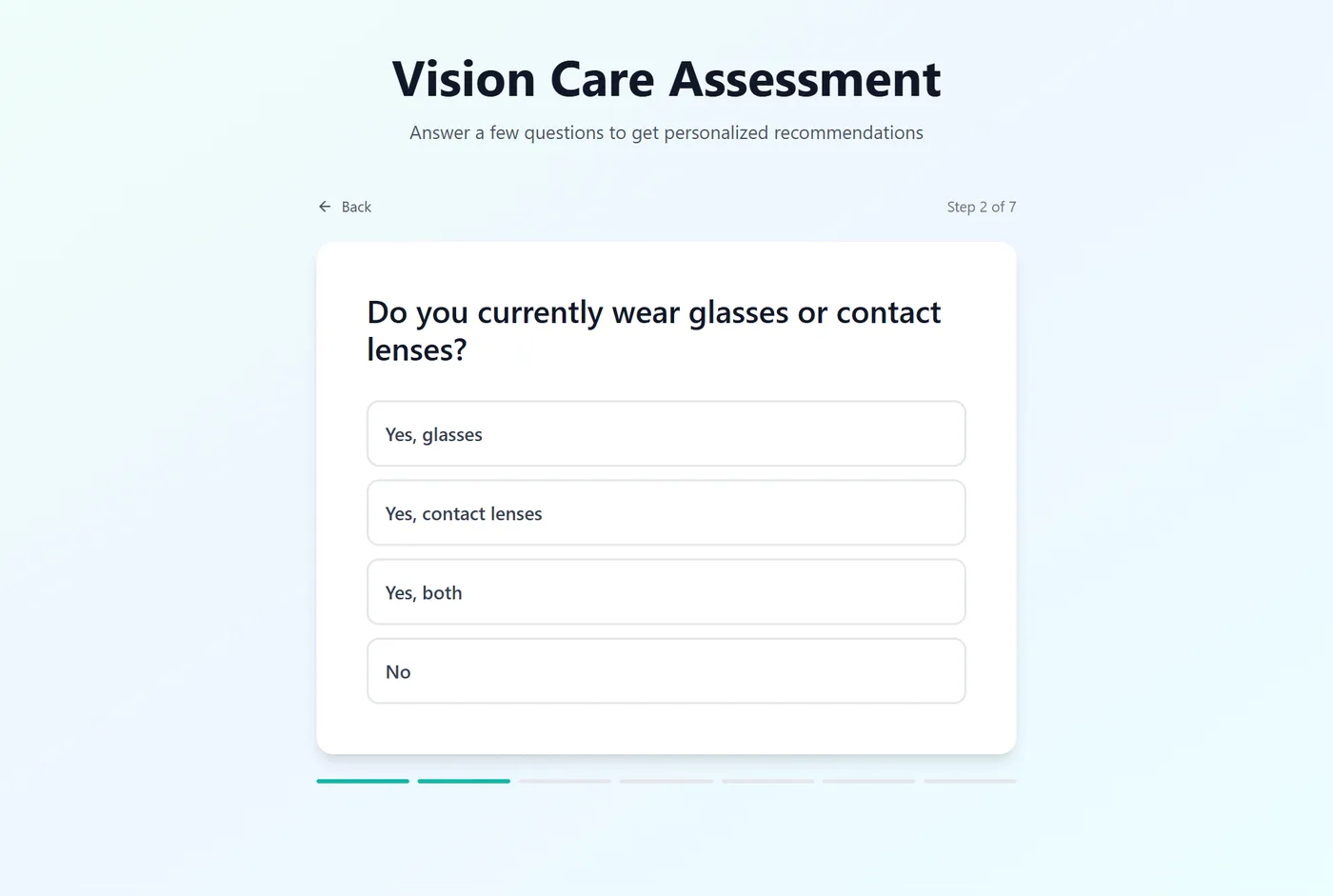
The first question sorts visitors into one of four paths, and each path asks its own follow-up questions. The questions live in a typed data file, so the clinic’s team can change wording or options without touching the components:
export type PathType = 'LaserEye' | 'Cataract' | 'DryEye' | 'ContactLens';

export const qualifierQuestion: Question = {
  id: 'qualifier',
  question: 'Which of the following best describes your vision situation?',
  options: [
    { label: 'Laser Eye Surgery', value: 'LaserEye' },
    { label: 'Cloudy/Blurred Vision', value: 'Cataract' },
    { label: 'Itchy/Dry Eyes', value: 'DryEye' },
    { label: 'Contact Lens Consultation', value: 'ContactLens' },
  ],
};

export const pathQuestions: Record<PathType, Question[]> = {
  LaserEye: [
    { id: 'laser_q2', question: 'Do you currently wear glasses or contact lenses?', options: [...] },
    { id: 'laser_q3', question: 'What is your age range?', options: [...] },
    ...
  ],
  ...
};
Each question is one tap, with a progress bar and short animations between steps. Age range matters clinically (laser surgery has an age window, cataract is more common later in life), so the answers are useful to the clinic, not just to the marketing team.
Step 2: Ask for contact details at the right moment
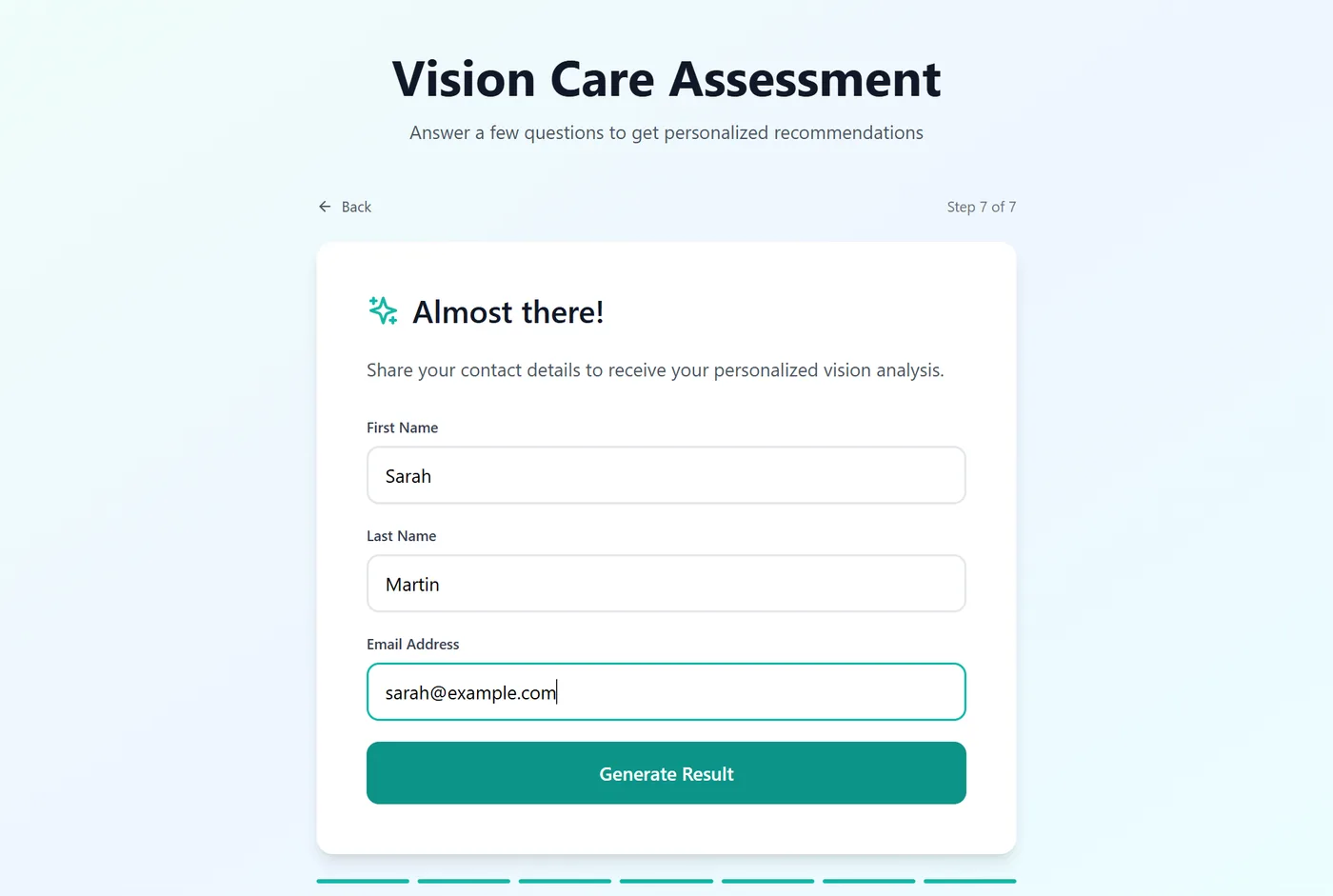
The contact form comes after the questions, when the visitor has invested a minute and wants their result. That is the moment people are most willing to leave a name, email and phone number. The form is short and validated in the browser, and the answers plus contact details go to an n8n webhook in a single request.
Step 3: An instant, personal answer on the result screen
When the visitor submits, the answers and contact details go to an n8n webhook. The workflow routes the request by the funnel it came from, then:
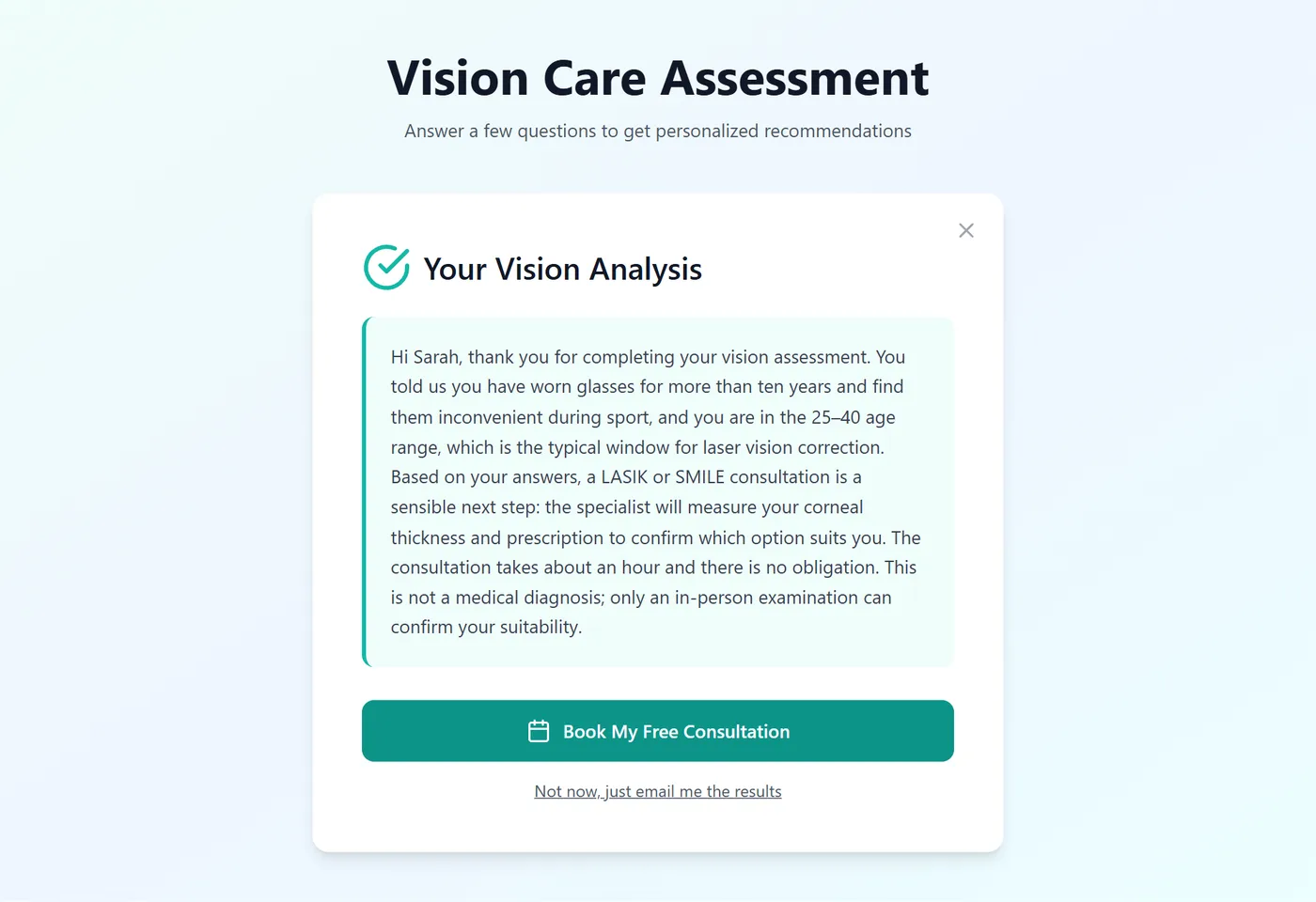
- Asks an AI agent for a personal message based on the answers. The agent is instructed to act as an empathetic vision care consultant: address the person by first name, refer to one or two of their actual answers, explain the relevant options and next step, and never make a medical diagnosis. A structured output parser makes the agent return a defined JSON field instead of free text.
- Saves the lead to a Google Sheet that works as a simple CRM: every answer, the contact details and a status column the team can update.
- Responds to the webhook with the message, which the result screen shows straight away. The visitor gets something useful while they are still on the page, which is exactly when they are most likely to book.
Step 4: Recover the people who did not book
Most visitors will not book on the first visit, and that is normal. A second path in the workflow handles people who left their details but did not complete a booking:
- A personal PDF report. The workflow copies a branded Google Docs template, fills it with the person’s analysis, exports it as a PDF and emails it: “here is your personal vision analysis, and here is how to book”.
- An AI-written follow-up two days later. A second agent, set up as a friendly patient coordinator, writes a short, plain-language email around the pain points in their answers (struggling with glasses, cost of contact lenses). It returns JSON with a subject and body, and is told never to leave placeholders like “[Clinic Name]” in the text.
- A final reminder three days after that, with the report attached again.
Left details, no booking ──► email 1: personal analysis (PDF) ──► status "Email 1 sent"
   └─ wait 2 days ──► read the lead's row: Status = Booked? ──► yes: stop
                                                            └─ no: AI-written follow-up ──► status updated
        └─ wait 3 days ──► read the row again: Booked? ──► yes: stop
                                                         └─ no: final reminder with the PDF ──► done
Before every email the workflow reads the lead’s current row again, so someone who booked by phone in the meantime never receives a “you haven’t booked yet” message. Each step writes its result back to the sheet, which doubles as an audit trail of who received what and when.
Step 5: Booking that fits the clinic’s existing system
Clinics already have booking software, or a receptionist with a calendar. The front end has a small configuration file that decides what “Book” does:
export const bookingConfig = {
  webhookUrl: 'https://…/webhook/booking',   // booking requests handled by n8n
  hasExternalSystem: false,                   // true: send people to the clinic's booking tool
  externalBookingUrl: 'https://…/schedule',
};
The same funnel can go live for a clinic with an online booking tool or one that books by phone, without code changes.
Design details that matter for conversion
- One question per screen, large tap targets, and a visible progress bar: the quiz is built for phones, because that is where ad traffic lands.
- A “syncing” screen while the report is prepared, so the wait feels intentional rather than broken.
- A result screen tailored to the path, with the booking call to action repeated where the reader’s attention is.
- No dead ends. Every path ends with a way to book or to receive the report by email.
What makes this approach work
- Give value before asking for a booking. The instant personal answer and the PDF report are the reasons people complete the funnel and open the emails.
- Use the tools the team already knows. A Google Sheet is a perfectly good CRM for a clinic starting out; the team can see, sort and update leads without training.
- Structured AI output. Parsing the model’s answer into fields is what makes it safe to drop into a document template automatically.
- Check state before every follow-up. Automation that emails people who already booked damages trust quickly.
Want a funnel like this for your business?
This pattern fits clinics, agencies, coaches, installers and any business that sells a consultation or a quote: a short qualifying quiz, an instant useful result, and follow-ups that stop when the person books. I can build the funnel, connect it to the tools you already use (Google Workspace, your CRM, WhatsApp, your booking system) and write the automation so your team sees every lead in one place.
Official resources for lead generation automation
Documentation and references for lead generation automation: